| .github/workflows | ||
| img | ||
| .gitignore | ||
| LICENSE | ||
| README.org | ||
| reverso.el | ||

reverso.el
Emacs client for the Reverso service. The implemented features are:
- Translation
- Context (AKA bilingual concordances)
- Grammar check
- Synonyms search
Installation
The package isn't yet available anywhere but in this repository. My preferred way for such cases is use-package and straight.el:
(use-package reverso
  :straight (:host github :repo "SqrtMinusOne/reverso.el"))
Or clone the repository, and it to load-path and require the package.
Usage
There's a single entrypoint for all implemented functions, M-x reverso. The UI is made with the excellent transient.el.
Input handling
All the commands handle the input the following way.
By default, the input string is empty. If the command is launched with a region selected, use the string of that region. If launched with the prefix argument (C-u), use the entire buffer.
Results are displayed in reverso-result-mode buffers. If launched in that buffer, the command uses the input string for the buffer. If launched with C-u, it uses the output string of that buffer (if available).
Translation
Run M-x reverso t or M-x reverso-translate to invoke the translation transient.

The "Source language" and "Target language" parameters are self-descriptive; just note that in the general case not every language is compatible with every other language. "Swap languages" tries to swap them.
If "Brief translation output" is on, the output buffer will only show the translated version of the string.
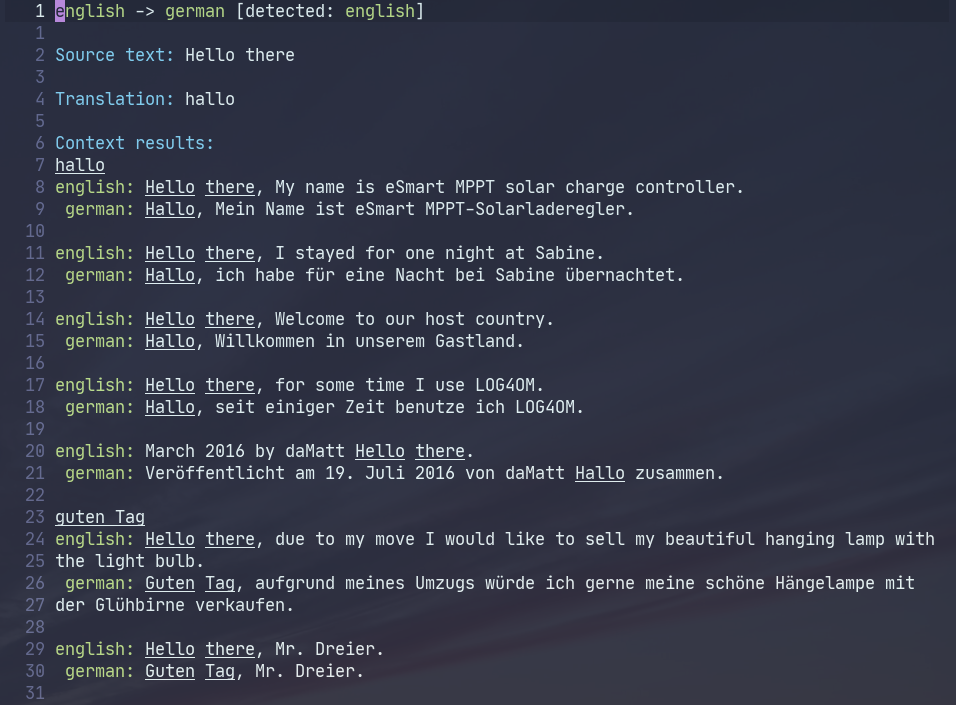
Otherwise, the result buffer can include the following sections:
- Source text and Translation
- Corrected text, if available
- Context results, if available
Context results usually appear for short strings, like in the example from the screenshot.
Context
Run M-x reverso c or M-x reverso-context to invoke context search (or bilingual concordances, essentially a Rosetta stone generator).
The input/output UI looks almost the same as in the translation command.
Strange enough though, direct context search usually yields different results than the "Context results" section of the translation command, so you may want to check out both if you want more data.
Synonyms
Run M-x reverso s or M-x reverso-synonyms to invoke the synonyms search.

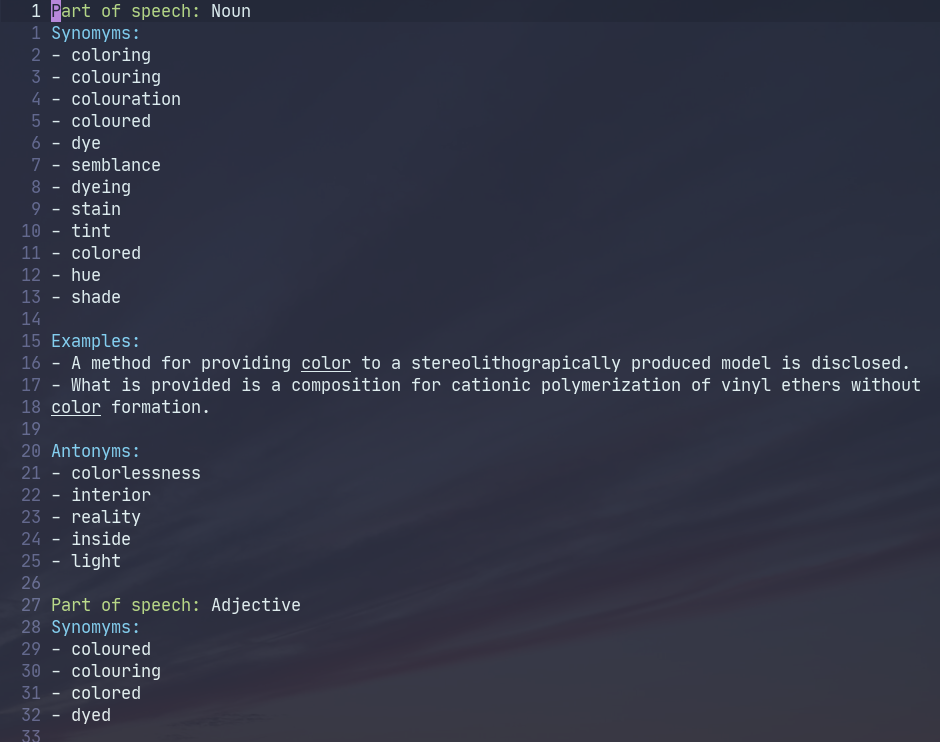
If necessary, the results may be split into sections by parts of speech.
A section for each part of speech includes up to three subsections:
- Synonyms
- Examples
- Antonyms
Grammar check
Run M-x reverso g or M-x reverso-grammar to invoke the grammar check.
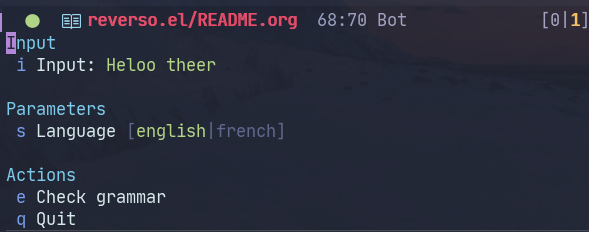
As of now, only English and French languages are available there.
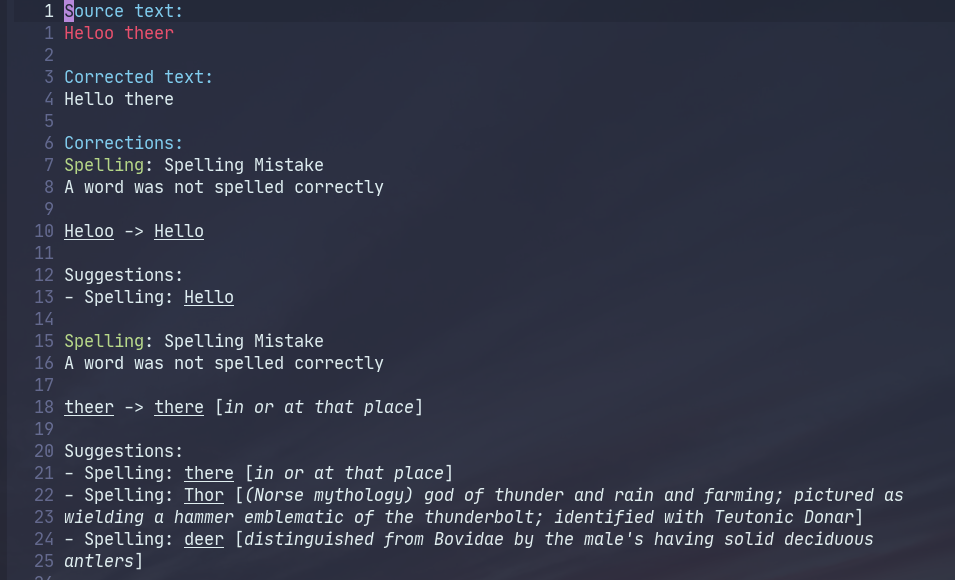
The results may include the following sections:
- Source text, where errors are highlighted with
reverso-error-face - Corrected text
- Corrections
Grammar check in buffer
It may be handy to apply the grammar check to the current buffer, that is, without using another buffer to display the results. For that purpose, there is M-x reverso b or M-x reverso-grammar-buffer.
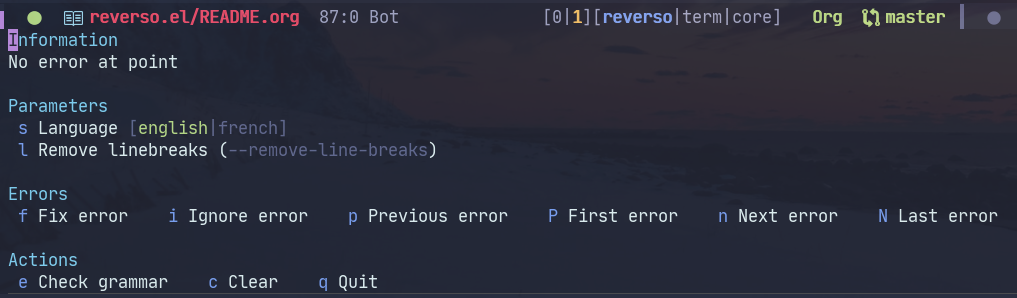
Running e there (or M-x reverso-check-buffer) uses the current buffer as input and displays any errors in finds with overlays. If a region is selected, the check is limited to that region.
There are a couple of caveats there. First, the service considers each linebreak as a new line, which is incompatible with filling text, i.e. breaking it into lines of a specified width. The "Remove linebreaks" option (l) is a workaround for this.
Second, the service usually freaks out with special syntax, for instance, Org Mode links.
The third partly follows from the second, because the service usually finds errors in hidden parts of Org links. That is a problem because a completely hidden overlay may be somewhat hard to access. So either skip these errors or run M-x org-toggle-link-display in Org files beforehand.
Finally (and this concerns all other methods as well), the API usually limits the input size. So if the service returns an error, try running the command on a smaller region of the buffer.
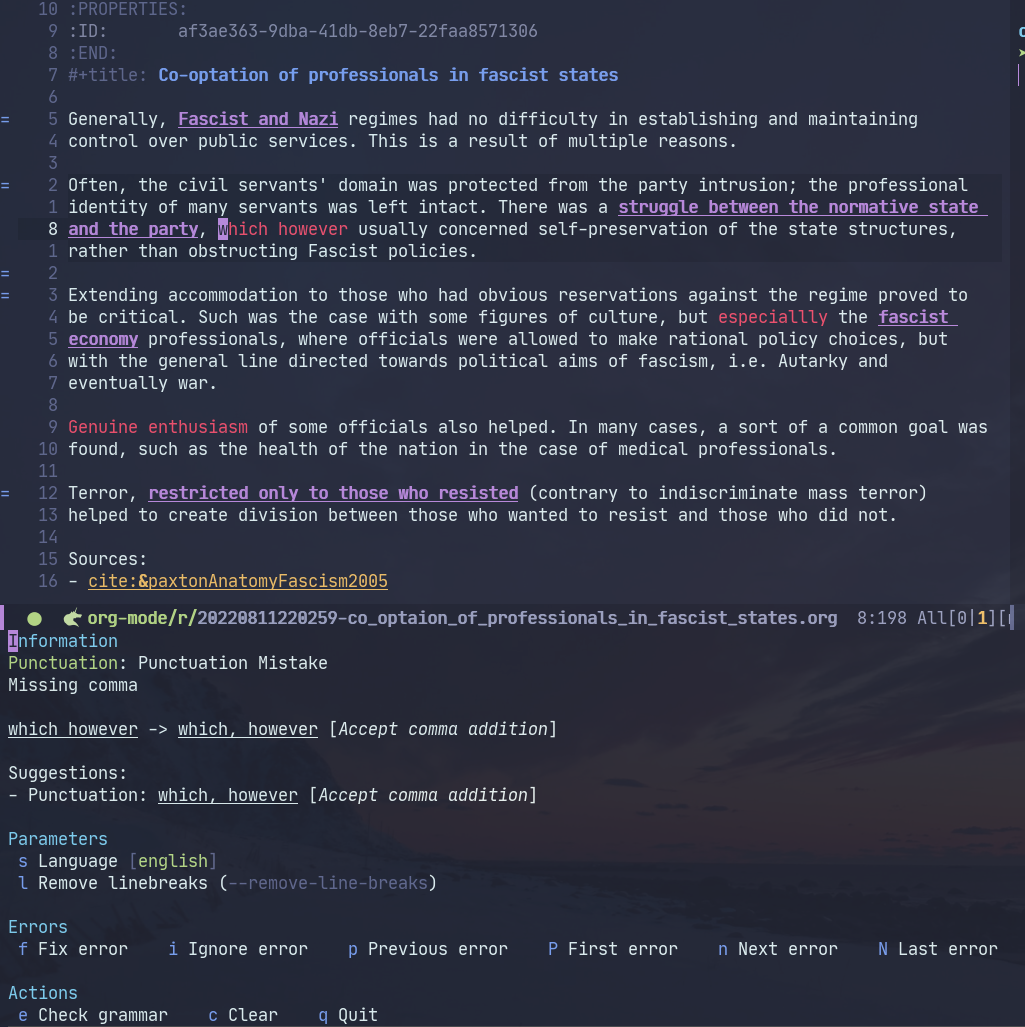
When the cursor is on an error, the error is shown in the "Information" section.
"Fix error" (f or M-x reverso-check-fix-at-point) opens a completion interface with possible fixes; "Ignore error" (i or M-x reverso-check-ignore-error) just removes the overlay and jumps to the next error.
"Previous error" (p or M-x reverso-check-prev-error), "Next error" (n or M-x reverso-check-next-error), "First error" (P or M-x reverso-check-first-error) and "Last error" (L or M-x reverso-check-last-error) serve to navigate the error list.
"Clear" (c or M-x reverso-clear) removes error overlays. If a region is selected, remove overlays only in that region; otherwise, remove them from the entire buffer.
Caveats
Before we go any further, here are some general caveats to be aware of.
First, the package is using a reverse-engineered API, so all the obvious consequences apply. Although this service has been used in this way for some time already.
Second, the cap on the input size was already mentioned. The obvious workaround is running the command on a region of lesser size.
Third, there are reports that Reverso dispatches bans by IP to particularly zealous users, so watch out for that if you are doing a lot of automated queries. This is also the reason why I didn't implement running one command on multiple consequential regions.
Fourth, be careful with what you send to the service. Don't accidentally send something confidential (like a password) or anything that can be used against you in some other way. Although the service is GDPR-compliant on paper, there's no way for us to actually verify that.
Customization
Run M-x customize-group reverso to see the available parameters. Here are some.
If you don't need all 17 languages, you can set the reverso-languages variable to limit the list:
(setq reverso-languages '(english german russian))
If the length of reverso-languages is greater than reverso-language-completing-read-threshold, switching a language in transient buffers will invoke completing-read (i.e. minibuffer completion). Otherwise, switching will just switch to the next one.
reverso-max-display-lines-in-input controls how many lines can be displayed in the input section of a transient buffer.
The available faces:
reverso-highlight-facereverso-error-facereverso-heading-facereverso-keyword-facereverso-definition-face
are inherited from the faces of transient.el and basic-faces to look nice.
Elisp API
In case you want to do something in Emacs Lisp, there are 4 main functions that call the Reverso API:
reverso--translatereverso--get-contextreverso--get-grammarreverso--get-context
Take a look at the docstrings for more information.
Every function is asynchronous, and the results are returned via a callback.
Reverso occasionally changes its list of available languages and the compatibility matrix, so if you change any of these, run reverso-verify-settings to check for errors.
Alternatives and observations
One translation service everyone is familiar with is Google Translate, so of course, there's an Emacs client for it.
The emacs-grammarly series of packages provides an Elisp API for Grammarly (a grammar checking service) and a bunch of frontends for it. Contrary to Reverso, Grammarly had recently opened an official API (so you don't risk getting an IP ban), and the allowed input size is much greater.
Moreover, Grammarly is less bothered by Org and Markdown syntax, although it still doesn't like inline code blocks. Grammarly generally seems to be better at grammar-checking than Reverso, especially when it comes to rephrasing wordy sentences and punctiation. However, Grammarly also gives more false positives.
Another notable grammar-checking solution is LanguageTool, which you can run offline and use with its Emacs package. This one has the obvious advantage of having no limits on usage and not sending your data to a 3rd party server you can't control. But it still doesn't like markup syntaxes.
LTeX LS is a LanguageTool-based language server, designed specifically to work with markup files like Org, Markdown, LaTeX, and a bunch of others.
The reverso-api npm package implements the same commands in JavaScript. It also provided invaluable information for creating this package.